Zombie AI Trend Music: Find the Sound and Sync Your Video
What song plays in the zombie AI trend? Identify audio on the exact Reel or TikTok, sync a piano or original sound to the flashback, and respect music rights.
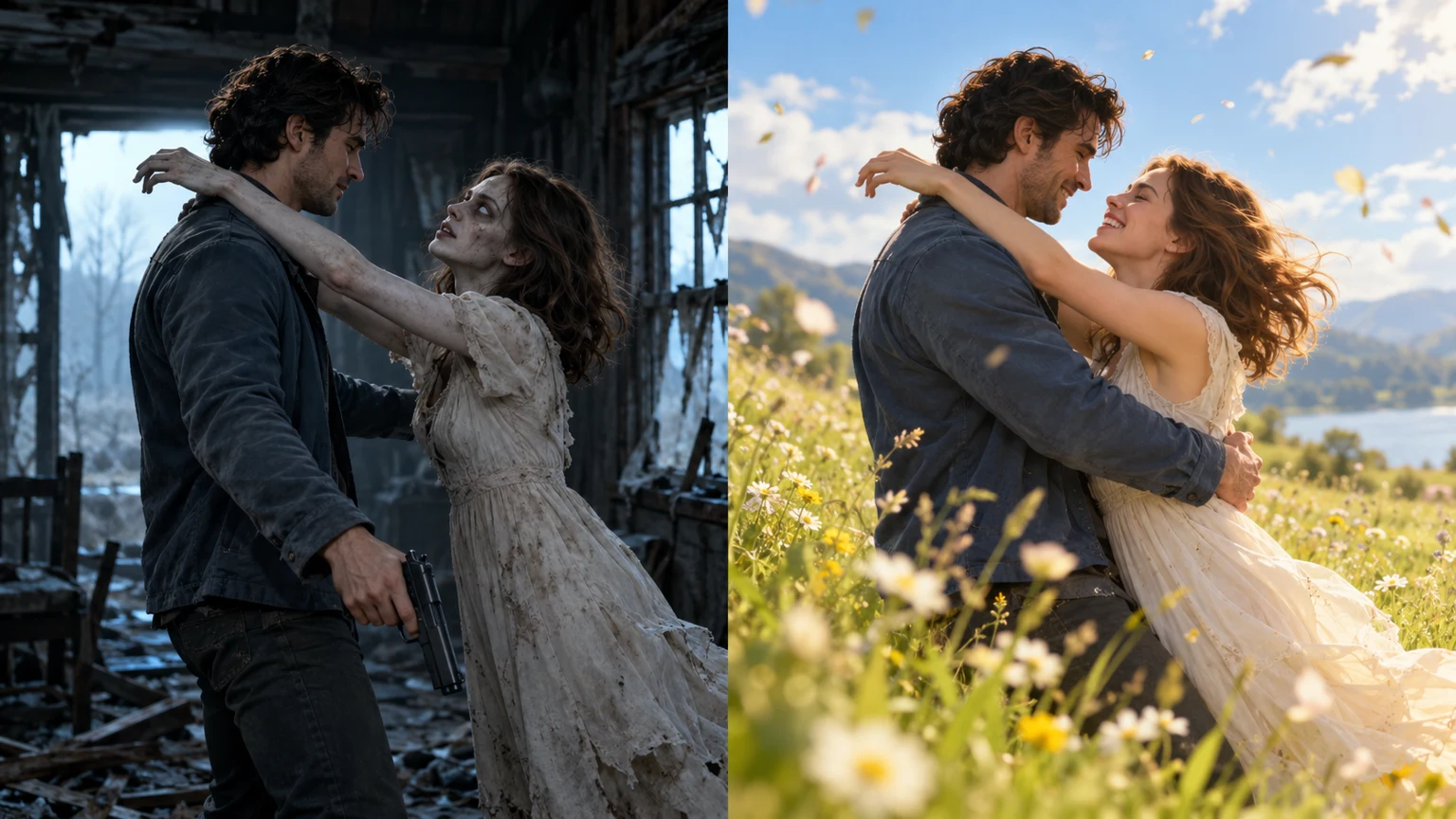
Searches for zombie AI trend music usually mean one of two things: “What song is playing in the viral zombie couple video?” or “How can I get that emotional sound transition in my own clip?” Those questions need different answers. A specific Reel has a specific audio listing, but different zombie love story remakes do not necessarily use the same song.
This guide helps you identify the actual sound instead of repeating a track name found on an unrelated repost. It then shows how to synchronize a legitimate sound to the survivor-to-flashback transition.
What is the zombie AI trend song?
There is no single verified universal song title for every zombie AI video. Trend explainers describe platform-labelled original audio—sometimes displayed as “Originalton”, the German interface's “original sound”—as well as piano and string arrangements on other edits. See these two published explanations and this audio discussion.
An original sound tag does not mean the uploader necessarily composed a music track, and it does not identify a commercially released song. Some versions include soundtrack generated with the video; others overlay an existing platform sound. Audio information should be checked on the exact post you watched.
How to identify the audio in a TikTok video
- Open the exact zombie video in TikTok, not an uncredited repost or search-result preview.
- Tap the spinning-disc icon or sound title associated with that video.
- Read the sound listing and the credited uploader. Look for track title and artist information when available.
- Browse other videos using that sound to see whether they are the same trend variant.
- Use the platform's Use this sound option if it is available for your account and intended use. Music choices can differ by region, account type and licensing restrictions.
If you cannot find the original post, search zombie ai trend music TikTok, zombie love story original sound, or a distinctive line from the clip's caption. A sound from a different version can still work creatively, but it is not evidence of the first video's recording.
How to find the audio in Instagram Reels
- Open the Reel and tap its displayed audio label.
- Check whether it names a track or shows a platform original-audio entry.
- Inspect the account and any linked original creator credit.
- Select an approved audio track when publishing your own Reel. Do not assume audio from another platform is licensed for Instagram or commercial use.
If you are posting to a business account, the music available to that account may not match what is available to personal creators. Check the current platform licensing options before publishing.
Where should the music change in a zombie couple video?
The best cue is the emotional shift rather than an arbitrary timestamp.
| Story moment | Sound direction | Why it helps | |---|---|---| | Survivor sees the infected partner | Quiet room tone, soft tense ambience | Keeps attention on recognition | | Weapon lowers | Space for a pause or quieter beat | Makes the decision readable | | Characters embrace | Gradual swell, low impact or silence | Prepares the transition | | Hard cut to happy memory | Warm piano, strings, or a suitable approved sound | Signals emotional contrast |
For a 12-second clip, your flashback might start toward the final third, but this is only a suggested editing rhythm. The exact cut in an AI-generated output may happen earlier, later, or not at all. Watch the MP4 first and place the sound to fit the actual edit.
Can I make the video with audio already included?
ZombieTrend uses Seedance 2.0 Mini with an audio-enabled workflow and atmospheric sound in its story prompts. The presence, content and timing of generated audio can vary with the result. We do not guarantee that a specific commercial or TikTok song will be generated.
Start with two reference portraits on the Zombie Love Story generator. The current single-clip options are 4–15 seconds, 12 seconds default, 480P or 720P, with a $9.99 single-video purchase. Check and listen to your completed MP4 before adding additional music. For a real source-and-output comparison, examine the 5-second 480P Seedance Mini case study.
What if the generated video has no sound or the music is wrong?
First play the MP4 in a media player with audio enabled and test another playback device if necessary. Check whether the file has an audio track, then determine whether the issue is missing audio, a silent opening, or an audio style you simply do not like. Audio prompts are creative direction, not a promise of a precise licensed recording.
If an audio track is genuinely absent, record the order number and report the result through support rather than assuming a soundtrack was generated. When appropriate, add authorized audio through TikTok, Instagram or a separate editor. Avoid stripping copyrighted tracks from unrelated videos for reuse.
Questions people search
Is “Originalton” the name of the zombie trend song?
No. It is an interface label for original audio in German. Tap the original post's sound attribution and check whether a real track title is displayed.
Can I use the same zombie trend music on YouTube Shorts?
Not automatically. Check the audio's availability and usage rights in the YouTube Shorts music tools. A sound offered on TikTok is not a cross-platform license.
How do I synchronize the song with the memory flashback?
Find the first frame of the actual happy-memory shot, then trim or place the chosen audio so the swell or beat lands on that frame. Preview on a phone before posting.
Where can I find the original video?
Our original zombie video guide explains how to trace a specific upload and distinguish remakes. For a tutorial on producing your own clip, see How to Make an AI Zombie Video and shot-by-shot flashback guidance.
Bottom line: identify the sound on the clip you want to reference, then choose an audio track you are permitted to use on your own publishing platform. There is no need to invent a universal “official zombie AI trend song.”
READY TO CREATE?
Start with two portraits, select a scene, and generate your own clip.