Zombie AI Trend Original Video: Source & Clip Guide
Looking for the original zombie couple video? Find the version you saw, check creator credits, identify its audio and distinguish remakes from original clips.
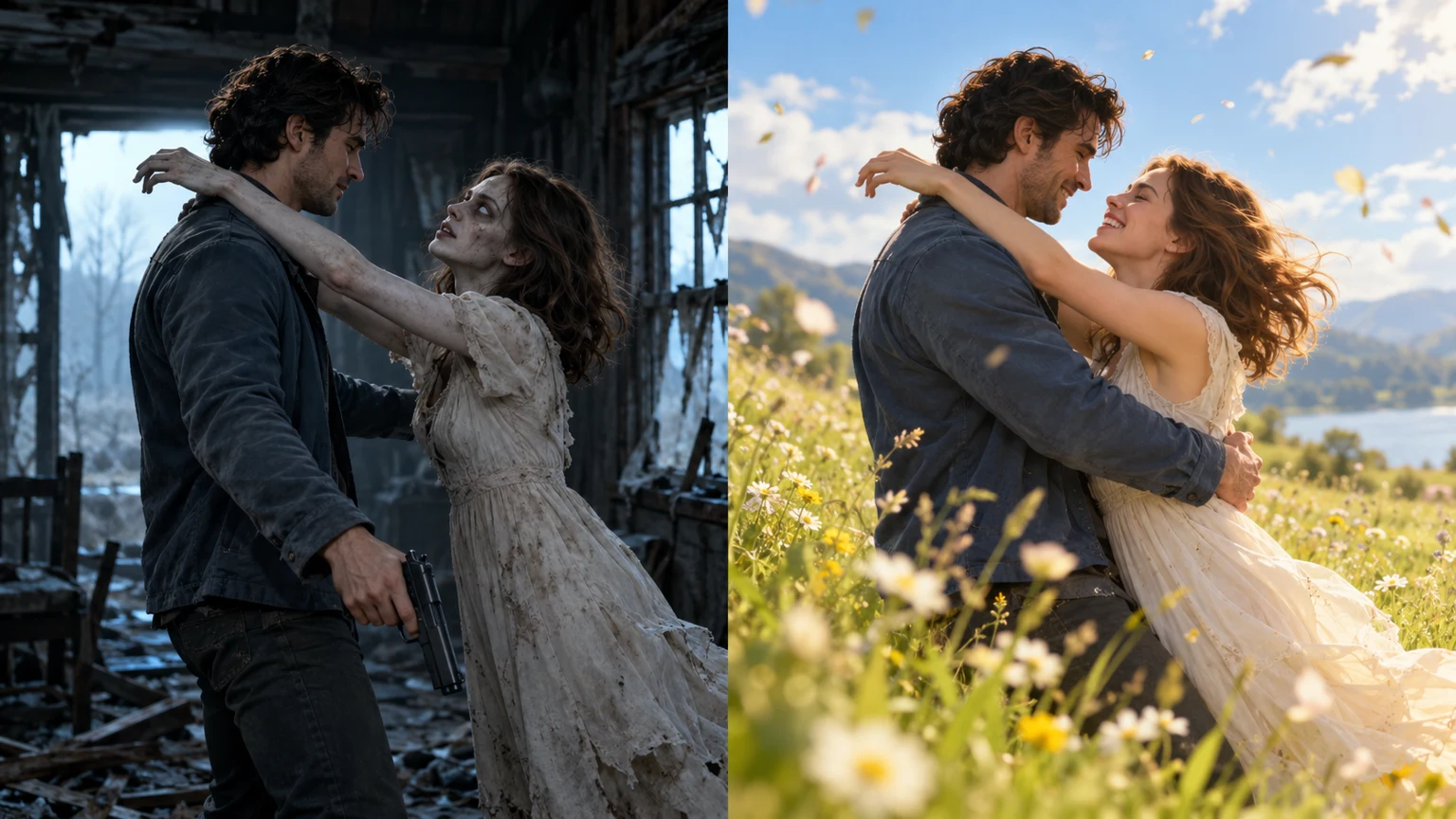
People searching for the zombie AI trend original video usually want the clip they saw on Instagram or TikTok, not another AI generator. Who made it? Is it from a film? Which sound accompanies the flashback? The difficulty is that many creators have remade the same four-beat story. A top search result might be a remake, a template preview, or a repost.
This article separates visible clues from unverified attribution so you can identify the particular video rather than accidentally credit the wrong person.
Which zombie couple video do you mean?
A typical clip features four beats:
- A survivor encounters an infected partner in a ruined house or on a dark street.
- They raise a weapon and hesitate—or the scene skips the weapon completely.
- The characters approach each other and embrace or collide in a desperate reunion.
- The edit flashes back to a happier time, often a sunlit meadow or wheat field.
Some remakes feature a dog or cat. Others change the order of the shots, the sound, the final setting, or which person is infected. The format is shared; the source footage is not necessarily the same.
Search for distinctive details. For the gun scene, add zombie shooting flashback or CHOICE zombie AI. For the embrace, try AI zombie hug. For video clips without a gun, describe the ending in your query.
Who made the original zombie AI trend?
Several published trend histories associate an influential film called CHOICE with the Instagram account @techmaf in September 2026. Other articles trace an early TikTok upload from late September and describe that as the first version they could find. Neither statement alone proves who created the earliest possible video.
Compare this account of the CHOICE format with this trend attribution guide and this TikTok-oriented timeline. These are secondary reports. Before crediting a particular creator or date, check the linked post on the original platform.
What is supported: the survivor / infected loved one / flashback formula spread through multiple short-video posts and remakes. What remains uncertain from these reports: one definitive first upload, one universal music track, or one video model behind every version.
How to find the video you actually watched
1. Search within TikTok or Instagram
Try zombie AI trend original video, zombie couple video original, zombie shooting flashback, and CHOICE zombie AI. Check the Videos or Reels results, not only ordinary web snippets.
2. Open the posting account
Check the posting date and the caption for phrases such as original idea, inspired by, or remake. Follow any tagged creator backward through their own posts. High view counts and “original” in a repost title do not establish authorship.
3. Match specific shots
Compare the survivor's clothing, the infected person's approach, when the weapon lowers, the direction of the hug, and the flashback location. Near-identical stories can be separately generated clips.
4. Tap that post's audio attribution
“Original sound” or “Originalton” is a platform audio label, not necessarily the name of a commercial recording or proof that the uploader composed the music. Use the platform sound page to identify the audio attached to the exact version you want. See our zombie trend sound guide.
5. Save or share the authorized version
Use the author's own download link or the platform's allowed save/share controls. Do not assume that a third-party repost permits redistribution.
Is the video from a movie or an AI video editor?
The viral format is a short cinematic AI-video story, not a one-picture zombie-face filter. Some finished films are assembled from several generated clips, transitions and independently added sound. A 25-second edited video does not mean every AI service can generate that length in one request.
If your goal is to make your own version from two portraits, ZombieTrend's Love Story generator uses Seedance 2.0 Mini and supports selectable 4–15 second clips, 12 seconds by default, in 480P or 720P. It does not promise an exact shot-for-shot copy of somebody else's original film. Our documented Seedance Mini example shows its input photos, original 5-second 480P MP4, technical settings and limitations.
Questions suggested by actual searches
Where can I download the original zombie couple video?
Locate the creator's post first. A platform may offer a save option, or the creator may provide a download. The right source depends on which remake you mean.
Does every zombie couple video use the same song?
No single song has been verified for all versions. Some use a platform original-audio listing, while others use custom atmospheric sound or a slow piano track. Always check the specific post.
How do I make an AI zombie couple video?
Follow our photo-to-video tutorial for photo preparation, two character roles and exporting, or use the copyable zombie prompts. For shot structure, see the shooting-to-flashback guide.
Bottom line: find the specific platform post and verify its account, video and audio. Avoid treating a viral storyline as proof of one definitive source.
READY TO CREATE?
Start with two portraits, select a scene, and generate your own clip.